Quick fixes when Minellion is not working
Most Minellion problems on this site come from three things: the page loaded before the question vault, a browser extension blocked the game frame, or site data was cleared. Refresh the page first. If Minellion still does not start, try a private window with extensions off, then check the specific symptom below.
This page covers the Minellion game at minellion.vip only. The original Minellion at minellion.io is a separate site with its own servers, so if that one is down, the fixes here won't help with it.
Minellion won't load or shows a blank box
If the Minellion game area stays blank after you press Play, the game frame was probably blocked. The game runs in a frame on the same site, so content blockers and strict privacy extensions sometimes hide it.
- Reload the page and press Play Minellion again. A small gold block bobs up and down while the shaft opens.
- Open the same page in a private or incognito window. Extensions are usually off there.
- If it works in private mode, allow minellion.vip in your blocker or turn off the extension for this site.
- Make sure JavaScript is on. Minellion needs it for the timer, the answer checker and the depth gauge.
A blank box on an old phone browser can also mean the browser is too out of date to run the game. Updating Chrome or Safari fixes that in most cases.
The Start button is greyed out
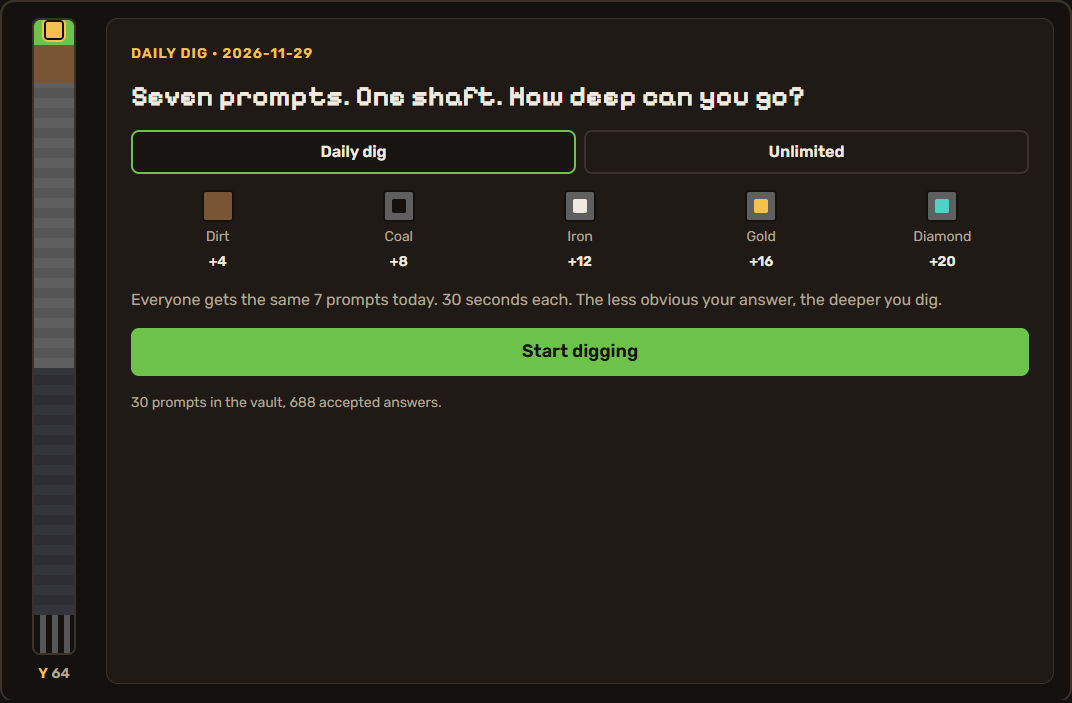
A greyed-out Start digging button means Minellion is still loading the question vault. Under the button you should see a line like "30 prompts in the vault, 688 accepted answers." Once that line appears, the button turns green.
If you see "The question vault did not load" instead, the request for the prompt list failed, usually because the connection dropped for a moment. Refresh the page. On a slow mobile connection, wait a few seconds before tapping Start.
My Minellion answer was rejected
A rejected Minellion answer means the vault does not hold that spelling for the current prompt. Nothing is broken, and the timer keeps running so you can try again.
- Check the prompt. "Name a passive mob" won't take creeper, even though creeper is a correct mob.
- Use the in-game name. Common nicknames such as "pigman" or "notch apple" work, but invented names and misspellings don't.
- Capital letters, spaces, apostrophes and a final "s" are ignored, so you don't need to fix those.
If you are sure the answer exists in Minecraft and fits the prompt, send it to us through the contact page with the prompt text. The Minellion answers page shows every accepted answer for today's prompts if you want to compare.
My daily result or best depth disappeared
Minellion keeps your daily result and best depth in your browser. Clearing cookies or site data, using a private window, or switching to another browser or device starts you fresh. There are no accounts, so progress can't move between devices.
If you clear site data, Minellion treats you as a new player, with a new anonymous name on the boards.
The leaderboard or crowd percentage doesn't show
The board and the "share of players who chose this" line need a small request to the game server after your run. Strict blockers can stop that request. The game still scores your dig and shows your depth; only the shared parts are missing. Allowing minellion.vip in your blocker brings them back.
The crowd percentage also needs other players to have answered the same prompt first, so on a brand-new prompt you may not see it yet.
Minellion problems on phones
On phones, the most common Minellion issue is the keyboard covering the answer box. Tap Fullscreen under the game to give it the whole screen, or turn the phone sideways. The depth gauge moves to the top on small screens, so it never sits under the keyboard.
If taps on Dig do nothing, check that the answer box is not empty. Minellion ignores blank submissions.
Still stuck?
Email contact@minellion.vip with the page address, your device, your browser and what you see on screen. A screenshot helps. For rules and scoring questions, how to play Minellion has the full guide, and you can always get back to today's Minellion dig from the top menu.